
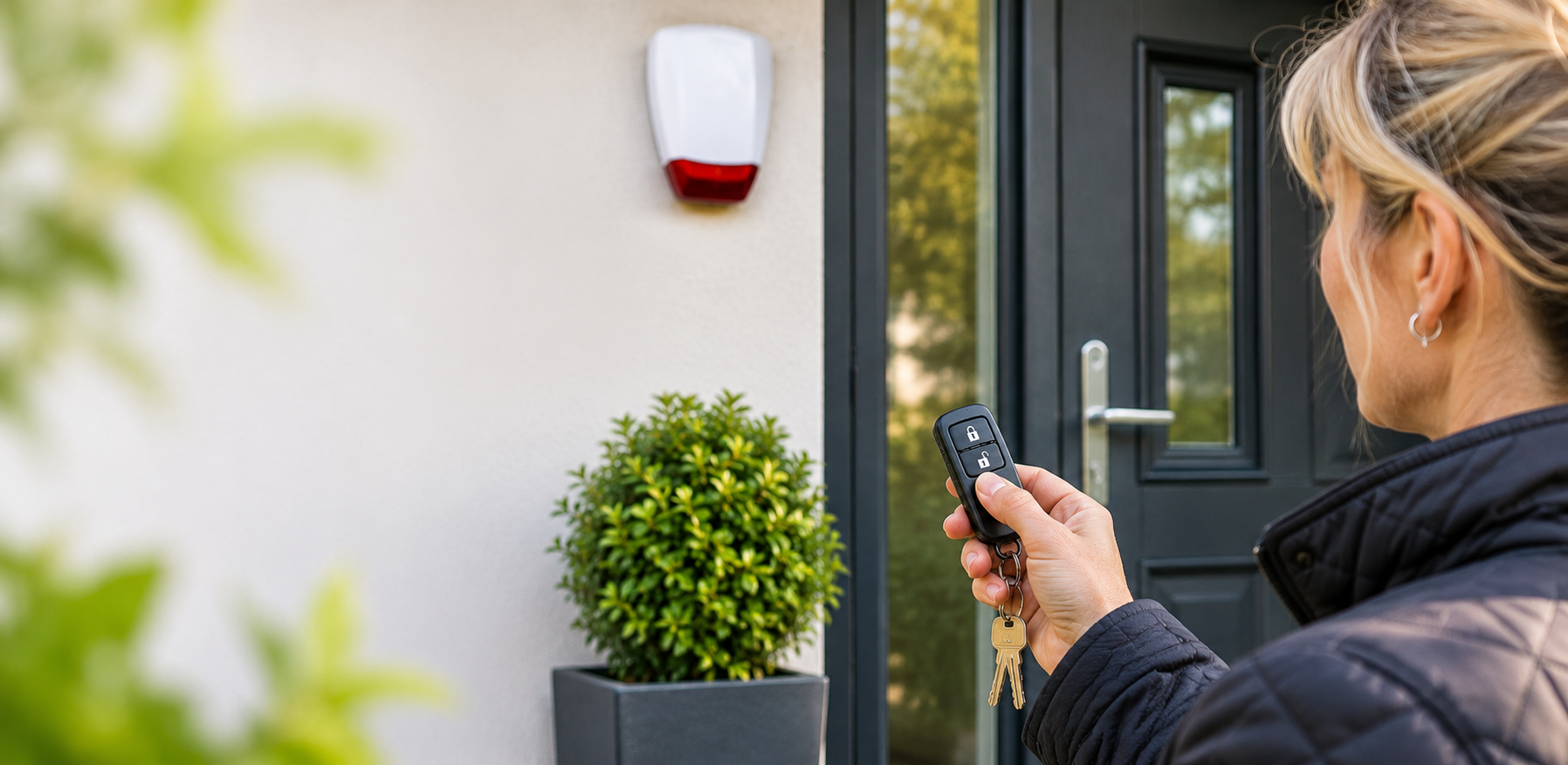
When you think about a burglar alarm, you probably imagine entering a code into a keypad before leaving the house. But modern home intruder alarm systems can offer much more flexibility than that.
Today, depending on the system you choose, you could set your alarm using your smartphone, press a button on a remote control, present a small proximity tag or even have your alarm follow a programmed schedule.
The best part? Different members of the same household can often use different methods to operate the same alarm system.
At Sleep Tight Security, we believe home security should be straightforward, convenient and suited to the people who use it.
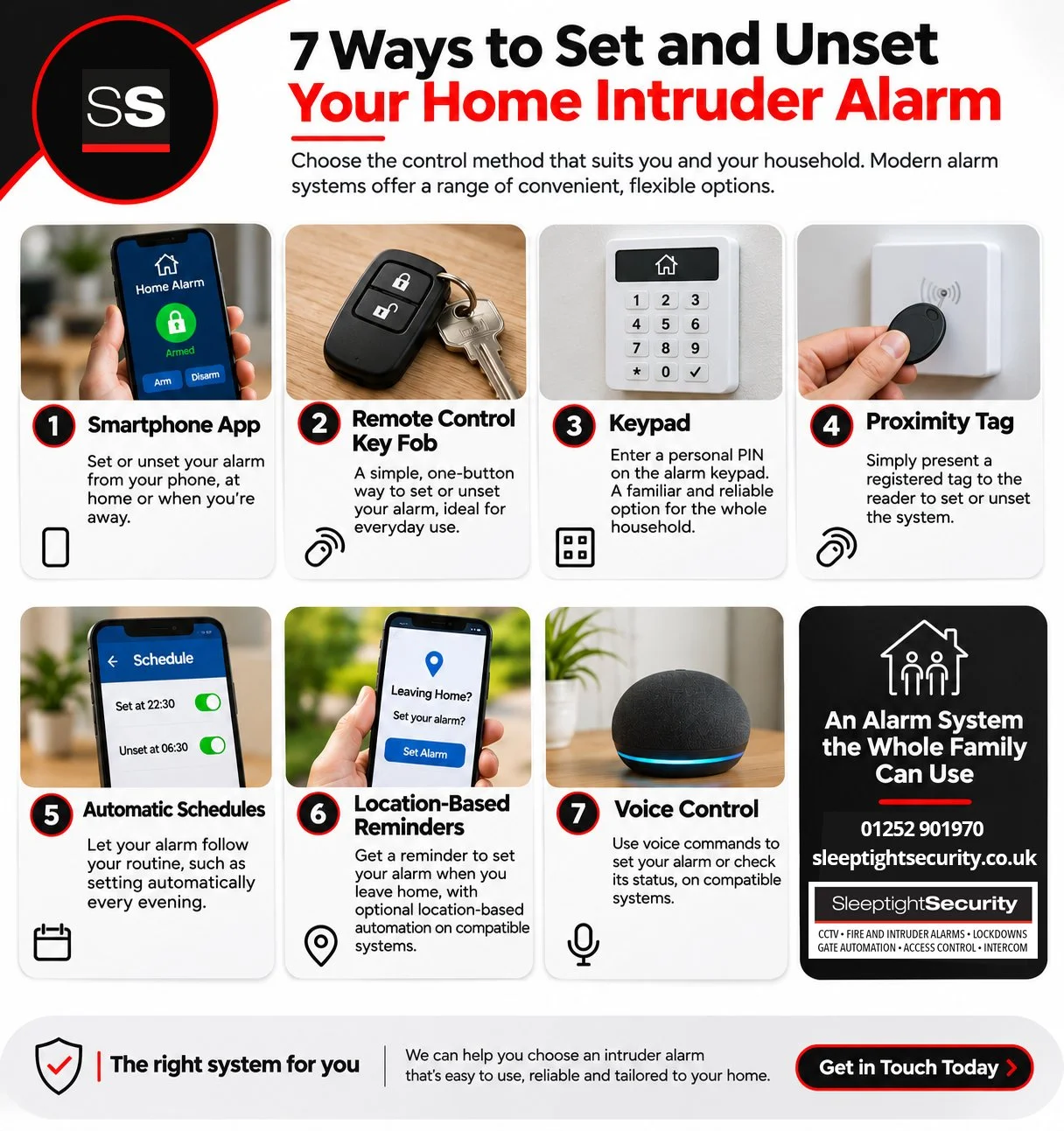
Whether you prefer traditional controls or the latest smart home technology, here are seven ways you may be able to set and unset your home intruder alarm.
1. Set Your Home Intruder Alarm Using a Smartphone App
One of the most convenient features of many modern intruder alarm systems is the ability to control them using a smartphone.
With a compatible alarm system and mobile application, you may be able to:
Set or unset your alarm remotely.
Check whether your alarm is currently armed.
Receive notifications about alarm activations.
View system events and notifications.
Manage different alarm modes or areas.
Allow authorised household members to access the system.
For example, imagine leaving for work and suddenly wondering whether you remembered to set the alarm.
Rather than returning home to check, you could simply open the app and view the alarm status.
Smartphone control can be particularly useful for busy families, people who travel regularly or anyone who wants greater visibility of their home security when away.
Best for: Homeowners who enjoy the convenience of smartphone technology and remote access.
Good to know: Remote features usually require suitable internet connectivity and may depend on the alarm manufacturer, app and any applicable service subscription.
2. Use a Remote Control Key Fob to Set and Unset Your Alarm
Not everyone wants to open an app or enter a code every time they leave the house.
A remote control key fob offers a simple alternative.
Similar in principle to a car remote, an alarm key fob allows you to operate compatible alarm systems using dedicated buttons.
Depending on the equipment, you may be able to:
Set the alarm with a button press.
Unset the alarm when returning home.
Activate a part-set mode.
Operate additional programmed functions.
A key fob can be attached to your house keys, making it easy to access when leaving or returning.
It's particularly useful for people who prefer a physical control rather than relying on a smartphone.
Best for: Anyone looking for quick, convenient alarm operation without entering a PIN.
Good to know: Remote controls should be kept secure, as a lost or stolen key fob may need to be removed from the alarm system to prevent unauthorised use.
3. Set Your Burglar Alarm Using a Traditional Keypad
The traditional alarm keypad remains a popular and practical way to operate a home intruder alarm.
Usually positioned near the main entrance, the keypad allows authorised users to enter a personal identification number (PIN) to control the system.
Modern keypads can provide clear displays, illuminated buttons and straightforward instructions.
Depending on the alarm system, different household members can have their own user codes.
This can be helpful because:
No smartphone is required.
There is no separate remote control to carry.
Users can have individual PINs.
Codes can be changed when necessary.
The system can be operated directly from the property.
For some households, a traditional keypad is the simplest and most familiar option.
Best for: People who prefer a conventional, straightforward way to control their home alarm.
4. Use a Proximity Tag Instead of Remembering a Code
A proximity tag is another convenient way to operate certain intruder alarm systems.
These small electronic tags are typically attached to a keyring and presented to a compatible keypad or reader.
Instead of entering a PIN, you simply hold the registered tag close to the reader.
The alarm recognises the tag and performs the permitted function.
Proximity tags can be particularly helpful in households where different people have different preferences.
For example, one family member might use the keypad, while another prefers a proximity tag.
Depending on the system, individual tags can be registered to specific users and removed if they are lost.
Best for: Anyone who wants simple alarm operation without remembering or entering a code.
Good to know: A proximity tag and a remote control key fob are not necessarily the same thing. A proximity tag normally needs to be presented close to a reader, whereas a remote control may operate the system from a short distance.
5. Set Your Home Alarm Automatically at Certain Times
Did you know that some modern intruder alarm systems can be programmed to follow a schedule?
Depending on the manufacturer and system configuration, an alarm may support automatic setting at predefined times.
For example, you might want the alarm to activate a particular security mode every evening.
This can be useful for households with fairly consistent routines.
Some systems may also offer scheduled unsetting, although this should be considered carefully.
Automatically unsetting an alarm could leave your home unprotected if your normal routine changes or nobody is present.
For this reason, automatic setting, scheduled reminders or part-setting may be more appropriate than automatically unsetting the entire system.
Best for: Households with regular routines that would benefit from scheduled security settings.
Good to know: Automatic scheduling is not available on every alarm system, and the available functions vary between manufacturers.
6. Use Location-Based Reminders to Help You Remember Your Alarm
Have you ever left home and wondered whether you remembered to set the burglar alarm?
Some smart alarm systems offer location-based features, sometimes called geofencing.
These use your smartphone's location to identify when you leave or approach a defined area around your home.
Depending on the system, you may receive a reminder to set your alarm when leaving.
Certain systems also offer more advanced location-based automation, although these features should be configured carefully.
Location-based reminders can be especially useful for busy households where people leave at different times.
However, location technology is not always precise, and it is important not to rely solely on geofencing to determine whether a property is occupied.
Best for: Smartphone users who occasionally forget to set their alarm when leaving home.
7. Can You Set Your Intruder Alarm Using Voice Control?
Smart home technology has introduced another possible way to interact with compatible intruder alarm systems: voice commands.
Some alarm systems can integrate with supported smart home platforms or voice assistants.
Depending on the equipment and integration, voice control may allow you to:
Ask whether the alarm is set.
Activate supported alarm modes.
Check certain system information.
However, voice control is not available on all alarm systems.
For security reasons, many systems also restrict or prevent voice-controlled disarming, reducing the risk of someone disabling the alarm without appropriate authorisation.
Best for: Households already using compatible smart home technology.
Good to know: Voice control should be viewed as an optional convenience feature rather than a replacement for secure alarm controls.
One Home, Different Ways to Set the Alarm
One of the biggest advantages of a modern intruder alarm system is that everyone in the household doesn't necessarily have to use it in the same way.
Imagine a family where:
One person prefers checking and setting the alarm using their smartphone.
Another keeps a remote control attached to their keys.
A grandparent prefers using a familiar keypad.
A teenager uses their own proximity tag.
At bedtime, the household activates a part-set or night mode.
With a suitably equipped alarm system, these different preferences can often be accommodated.
This flexibility means your home security can be tailored around how you live, rather than expecting everyone to adapt to one particular method.
Whether you prefer the latest technology or something simple and familiar, there may be a suitable solution.
What Is Part-Setting or Night Mode on a Home Intruder Alarm?
Another useful feature worth considering is the ability to part-set your intruder alarm.
Rather than activating every detector, part-setting allows selected areas of the property to be protected while others remain accessible.
For example, you might want to:
Protect downstairs doors and windows overnight.
Allow movement in bedrooms and upstairs hallways.
Secure a garage or outbuilding while you remain at home.
Protect particular areas of a larger property.
The precise configuration depends on the layout of your home and the alarm equipment installed.
Part-setting can provide an additional layer of security while allowing you to move around designated areas without triggering the alarm.
Choosing the Right Intruder Alarm for Your Household
When selecting a new home intruder alarm, it is worth considering more than just the number of detectors or whether the system is wired or wireless.
Think about how everyone in your household will use it.
Some useful questions include:
Would you prefer a traditional keypad or smartphone control?
Would a remote control or proximity tag be more convenient?
Do different household members need individual access?
Would you benefit from reminders or automatic setting?
Do you want to receive alarm notifications when away?
Would part-setting be useful at night?
Is the system straightforward for visitors or other authorised users?
Not every intruder alarm system supports every feature, so it is important to establish which functions are available before choosing the equipment.
A professionally designed system should balance reliable security with convenient everyday operation.
Why Choose Sleep Tight Security?
Sleep Tight Security provides professional home intruder alarm installation across Hampshire, Surrey and Berkshire.
We understand that every home and household is different, which is why we take the time to discuss your security requirements and how you would prefer to operate your alarm.
Whether you are looking for a straightforward burglar alarm with a traditional keypad or a modern system with smartphone functionality, we can help you explore suitable options.
We also provide other home security solutions, including CCTV Installation , Door Entry Systems and Access Control Systems .
For more information about the different alarm technologies available, visit our Intruder Alarm Systems page.
Frequently Asked Questions About Setting a Home Intruder Alarm
From traditional keypads to smartphone apps, discover the different ways to operate a home intruder alarm and choose the right option for your household.
Can I set and unset my burglar alarm from my phone?
Yes. Many modern intruder alarm systems support smartphone apps that allow authorised users to set or unset their alarms remotely. Available features depend on the alarm manufacturer, connectivity and system configuration.
Can I have a home alarm without using a smartphone?
Absolutely. Many alarm systems can be operated using a traditional keypad, remote control key fob or proximity tag. A smartphone is not essential for operating many modern home intruder alarms.
Can different family members use different ways to set the alarm?
Yes. Compatible systems can support multiple control methods. For example, one person may use a smartphone app while another uses a keypad or proximity tag. The available combinations depend on the equipment selected.
Can my house alarm set itself automatically at night?
Some intruder alarm systems support scheduled setting or automation. This may allow a compatible system to activate a selected security mode at a programmed time, although not every system offers this functionality.
Can I set my burglar alarm while I'm still inside the house?
Yes. Many intruder alarm systems offer part-setting or night modes that protect selected areas while allowing movement elsewhere in the property. This can be particularly useful for protecting doors and windows overnight.
What happens if I lose my alarm key fob or proximity tag?
Depending on the system, a lost key fob or proximity tag can usually be removed from the list of authorised devices. Contact your alarm installer promptly if a device is lost or stolen.
Can I control my home alarm using voice commands?
Some compatible intruder alarm systems support limited voice-assistant functions. These may include setting the alarm or checking its status. Voice-controlled unsetting is often restricted for security reasons.
What is the easiest burglar alarm to use?
The easiest system depends on the individual household. Some people prefer a simple keypad, while others find a remote control, proximity tag or smartphone app more convenient. Sleep Tight Security can help you explore suitable options for your home.
Looking for an Easy-to-Use Home Intruder Alarm?
Your home security should work around your lifestyle, not make everyday life more complicated.
At Sleep Tight Security, we can help you choose an intruder alarm system that offers the right balance of protection, convenience and straightforward operation.
We provide home intruder alarm installation across Hampshire, Surrey and Berkshire.
Contact Sleep Tight Security today to discuss your home security requirements and find an alarm system that suits your household.